Linphone
This guide outlines the steps to configure Linphone to make and receive phone calls using the didlogic trunk provider. Before placing or receiving a call, you should have an active phone number and a SIP account on your didlogic account.
Configuring the SIP trunk in Linphone
Download the Linphone application from the official website: Linphone 1.0.
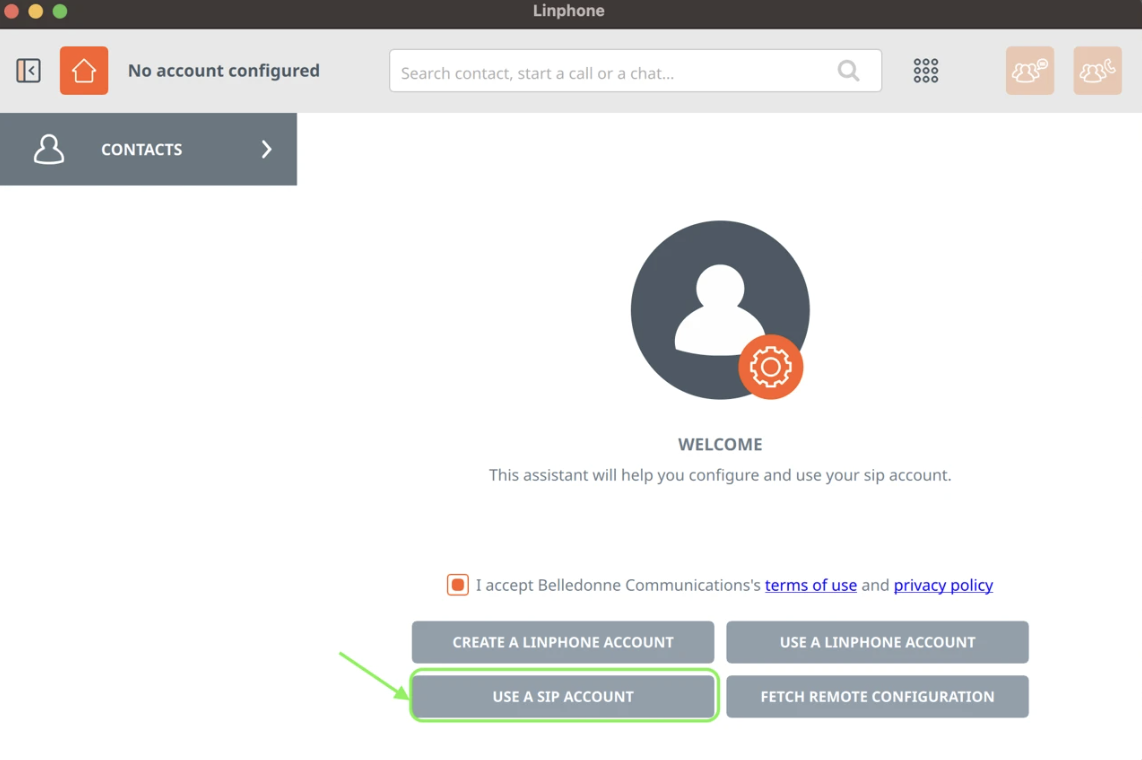
Open Linphone. Check the box indicating that you accept the terms of use and privacy policy, and select "USE A SIP ACCOUNT".
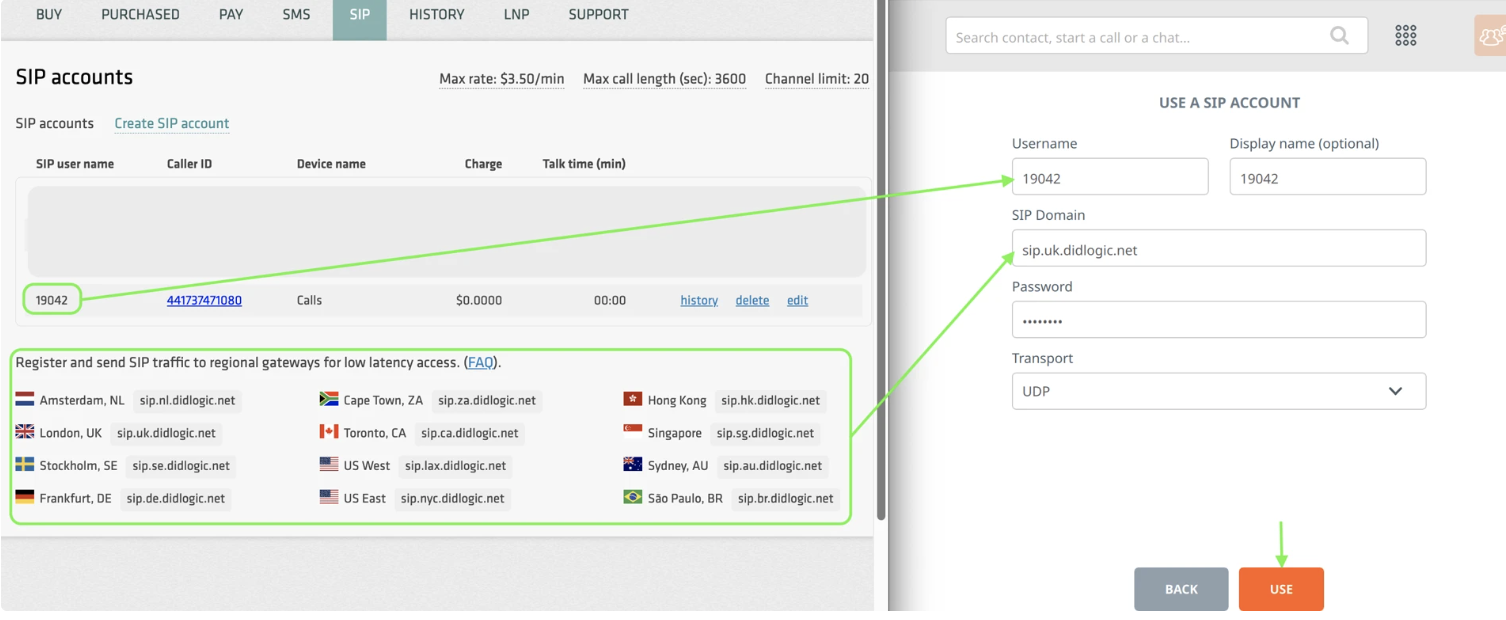
Proceed with the authorization. Fill in the appropriate fields:
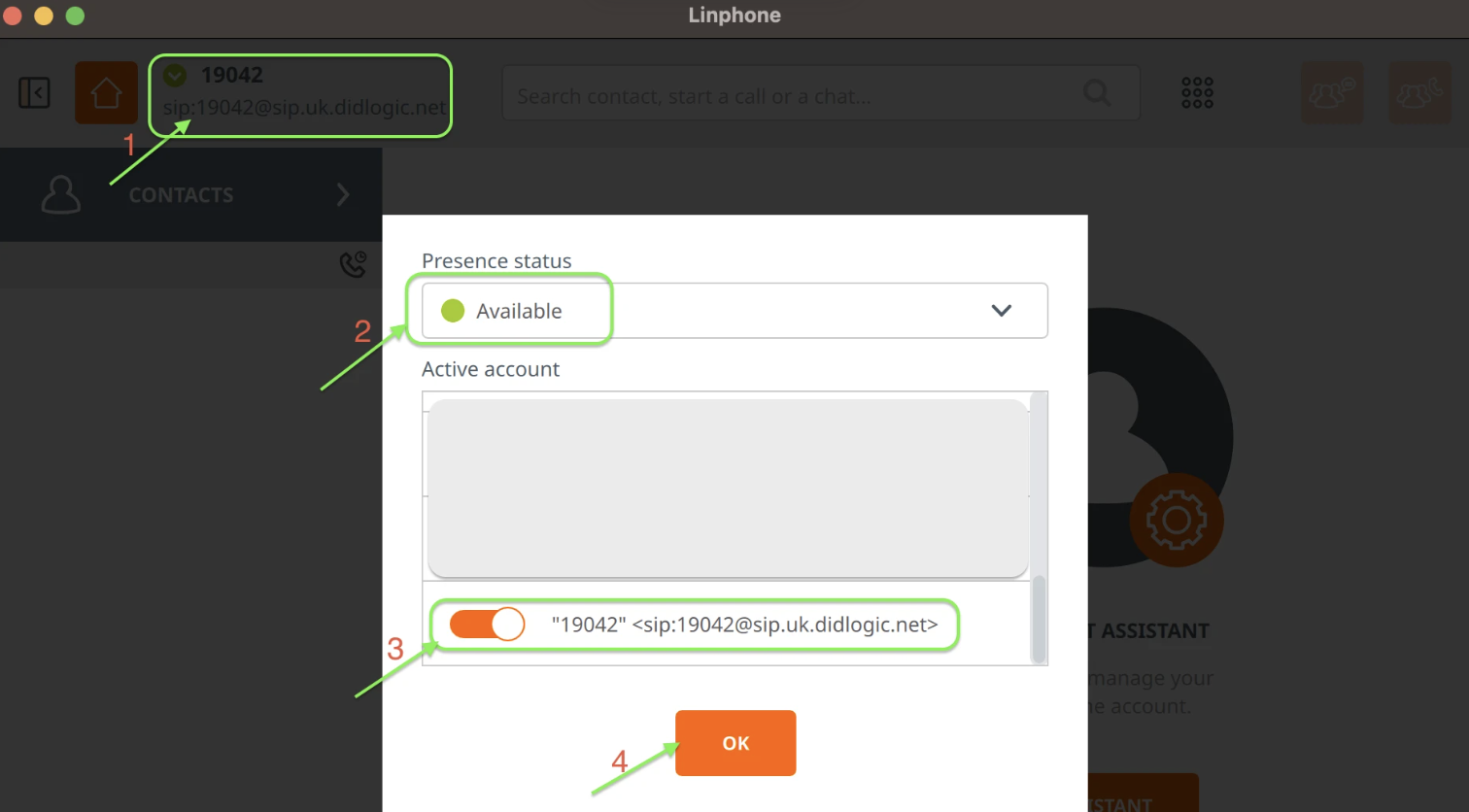
 After completing the authorization, select the configured trunk to make outbound calls:
Troubleshooting
If the outbound call fails, check the following:
- You've completed all the steps in this guide.
- You're dialing the phone number in the international E.164 format (without leading
00or+and with the country code). - Max call rate limit set on your SIP trunk or account is enough to call the desired destination. You can find your effective rates in the SIP section.