DID Numbers & Inbound Setup
If you've tested the service with your promo number and are ready to establish a permanent presence, it's time to purchase your first official number. Your phone number acts as your global identity, allowing you to present a local Caller ID and receive incoming calls from customers worldwide.
How to Buy a Number
-
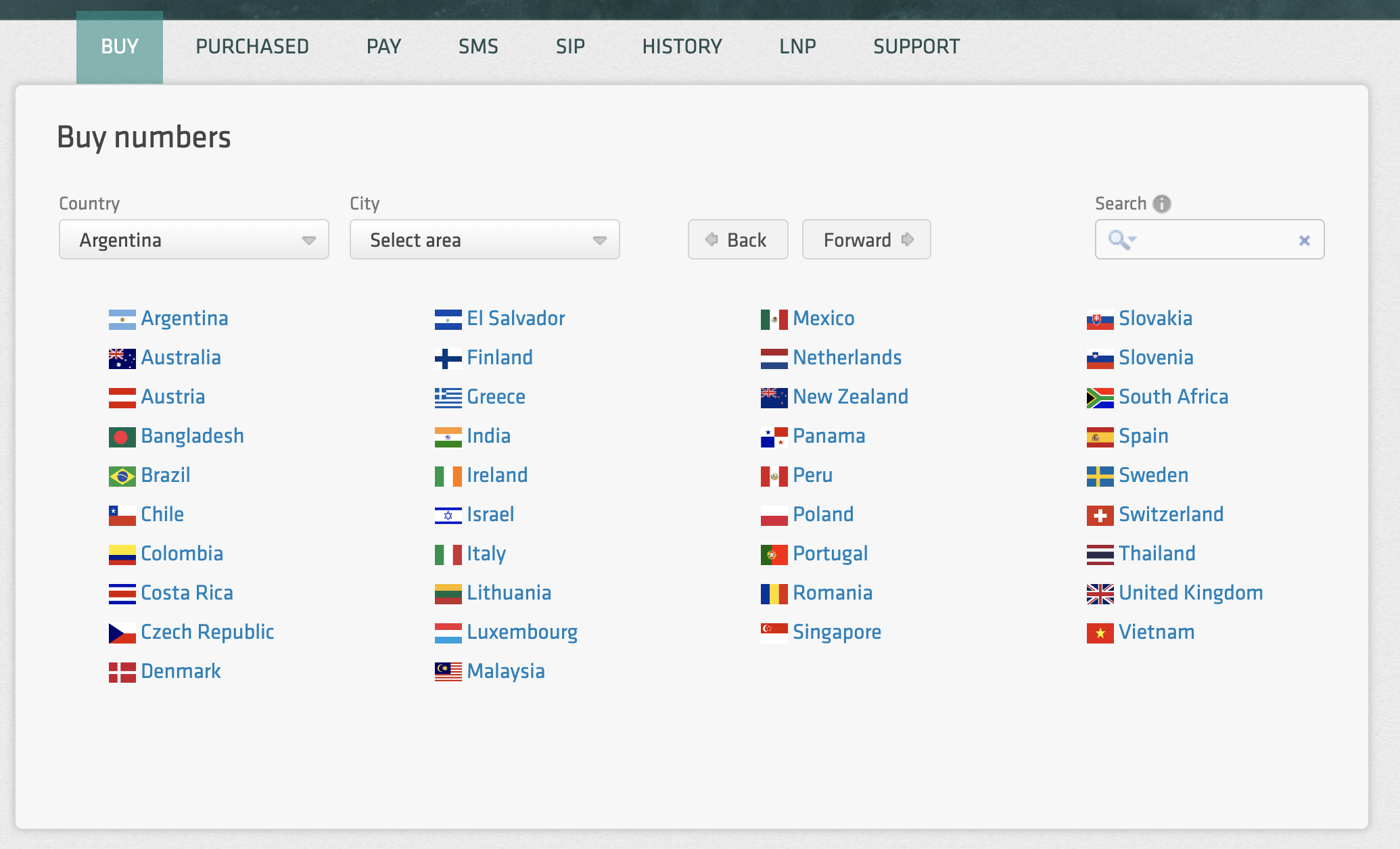
Navigate to the Buy Section: Log in to your dashboard and select Buy from the top menu.
-
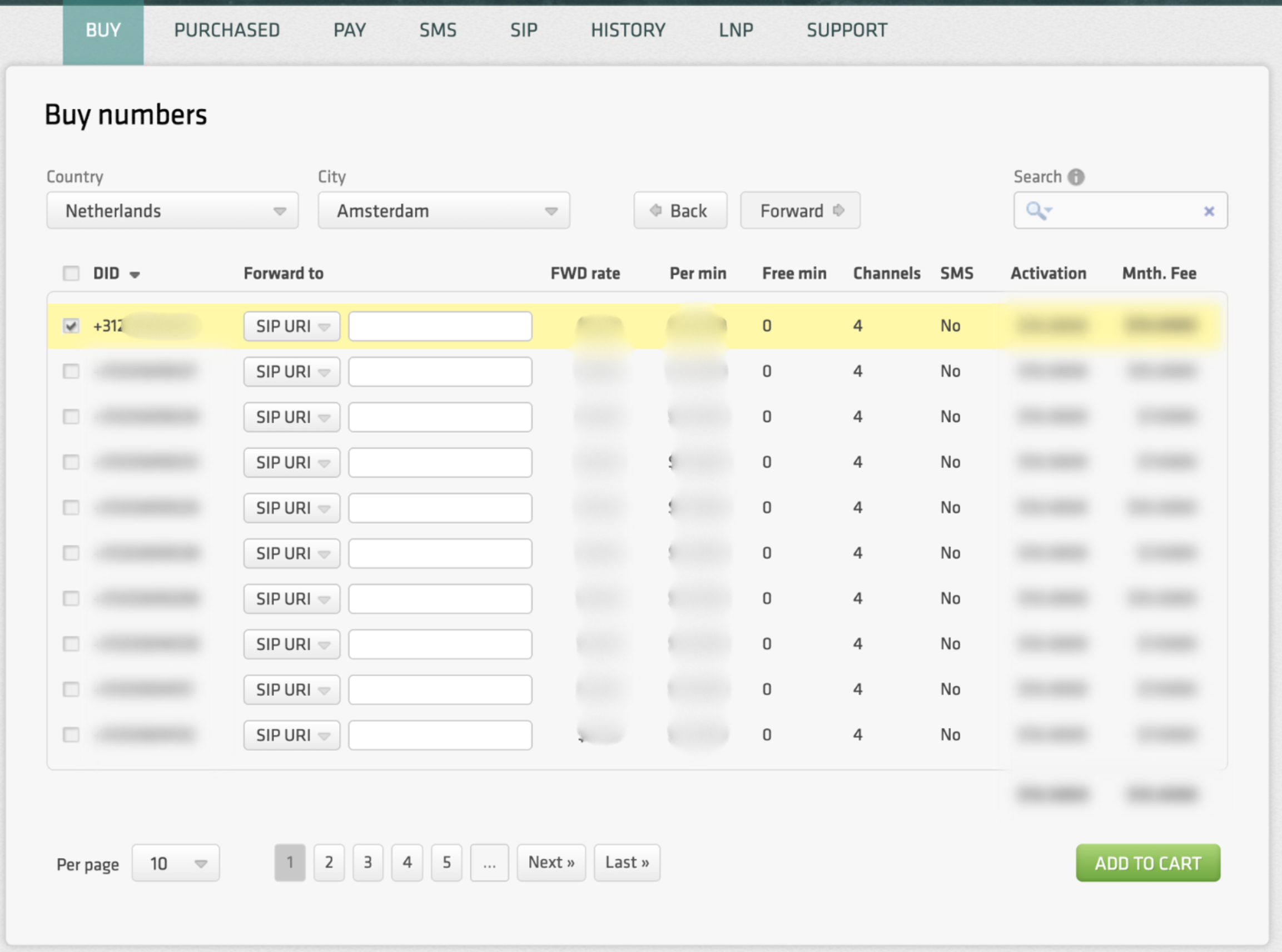
Filter by Location: Select the country and region required for your business.
-
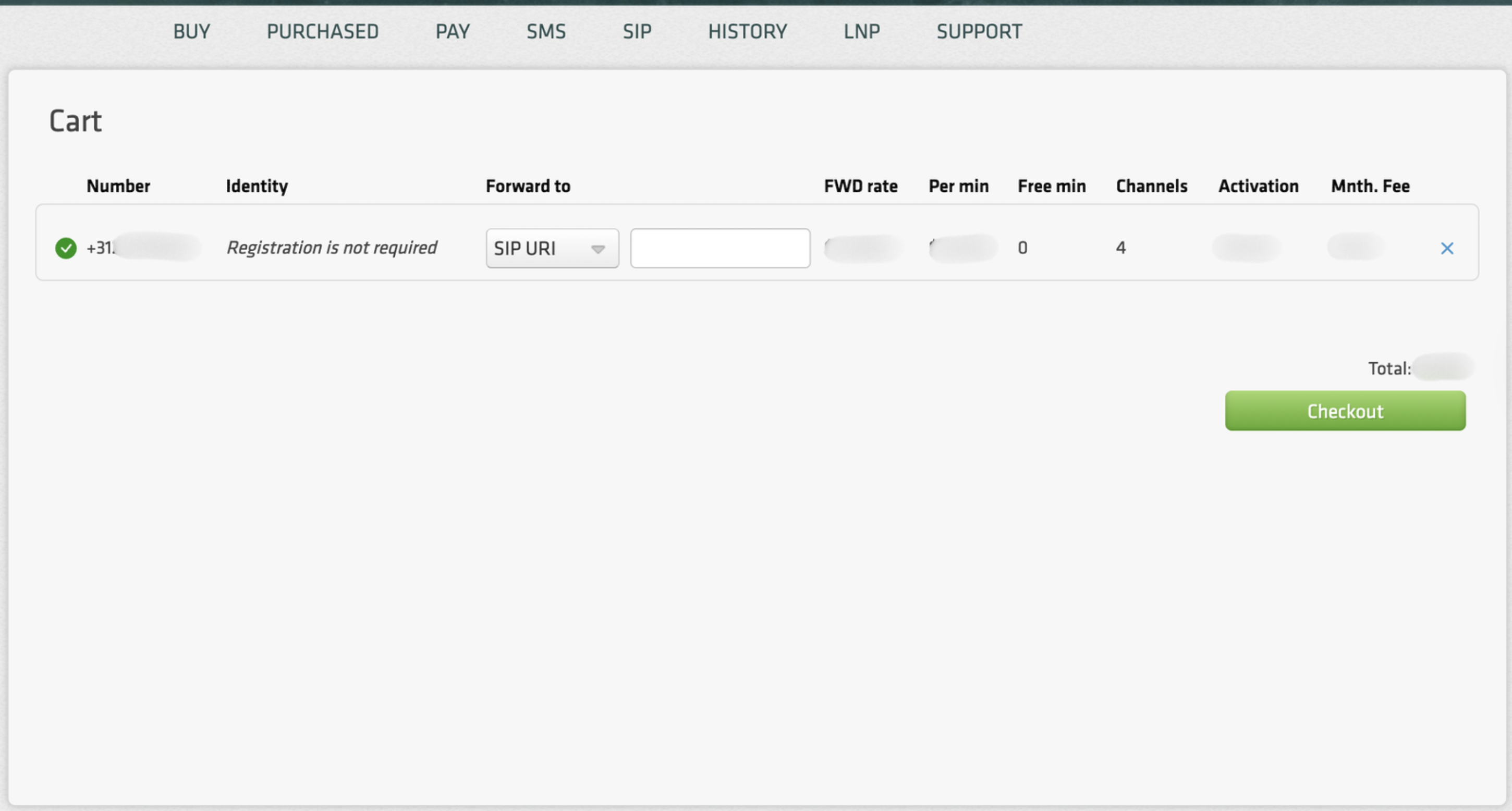
Add to Cart: Browse the available inventory, select your preferred numbers, and proceed to the Cart to complete the checkout.
-
Purchase: Once the transaction is complete, your new numbers will appear in the Purchased tab.
-
Activation: Some number providers require an additional verification, so you may need to provide your documents for review to activate the number.
Can't find the number you need?
Our public inventory represents only a portion of our global reach. If you are looking for a specific region, prefix, or a large block of numbers that isn't currently listed, please contact our support team. We can manually obtain and provision numbers in almost any jurisdiction to meet your specific requirements.
Compliance
Please be aware that some jurisdictions require proof of a local address or specific business documentation (KYC) before a number can be activated.
- The Process: If a number is flagged for documentation, simply upload the requested files in your profile.
- Approval: Our Provisioning team will review the documents and activate your number as soon as they are approved by the vendor.
Inbound Routing
Purchasing a number is only the first step. Once a number is active in your Purchased tab, you must tell the system exactly where to send incoming calls. Without a defined destination, the system will not know how to connect your callers.
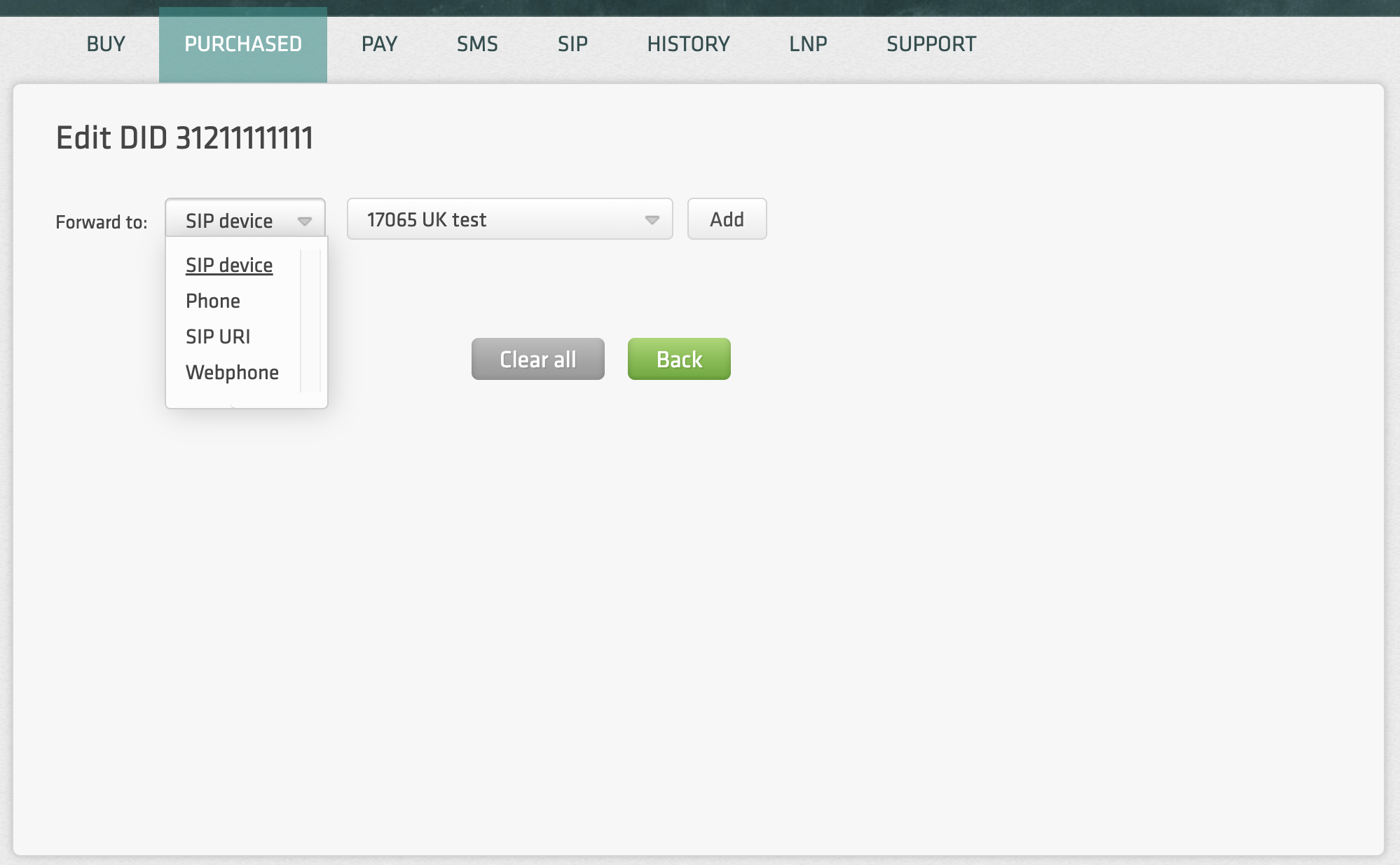
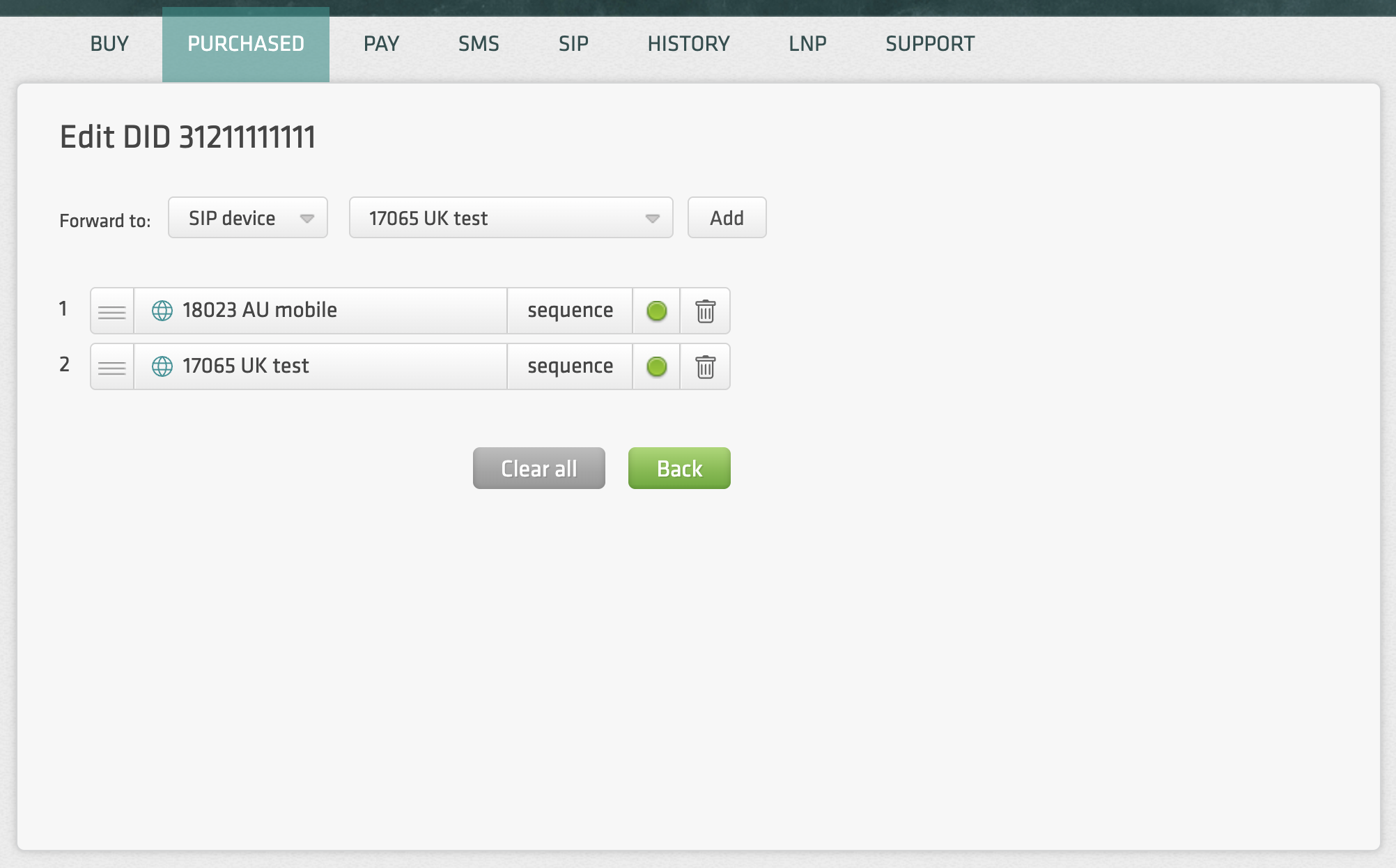
Navigate to the "Purchased" section and click on the Destinations of a specific number to specify your routing logic. You have several options for how calls are handled:
-
Destination Types: You can route calls directly to a SIP account, our Webphone, a SIP URI, or an external mobile/landline number.
-
Sequence & Hunt Groups: For more complex needs, you can set up call hunt groups or define destinations sequentially. For example, you can program the system to ring your SIP account first and, if there is no answer, automatically forward the call to your mobile phone.
Save Time with Defaults
If you frequently use the same routing targets, you can set up Default Values for SIP URIs and phone numbers in your Account Settings. Once configured, these defaults will be applied automatically whenever you select that destination type for a new number, saving you from manual entry every time you expand your inventory.