ElevenLabs
This document outlines the technical steps for integrating ElevenLabs Conversational AI with didlogic. By configuring a SIP Trunk, you can route calls between a didlogic phone number and ElevenLabs agents for automated voice interactions.
SIP Trunk Configuration
To allow ElevenLabs to place and receive calls through your didlogic account, you must first import your number via SIP trunking.
-
Log in to the ElevenLabs Conversational AI dashboard and navigate to Phone Numbers.
-
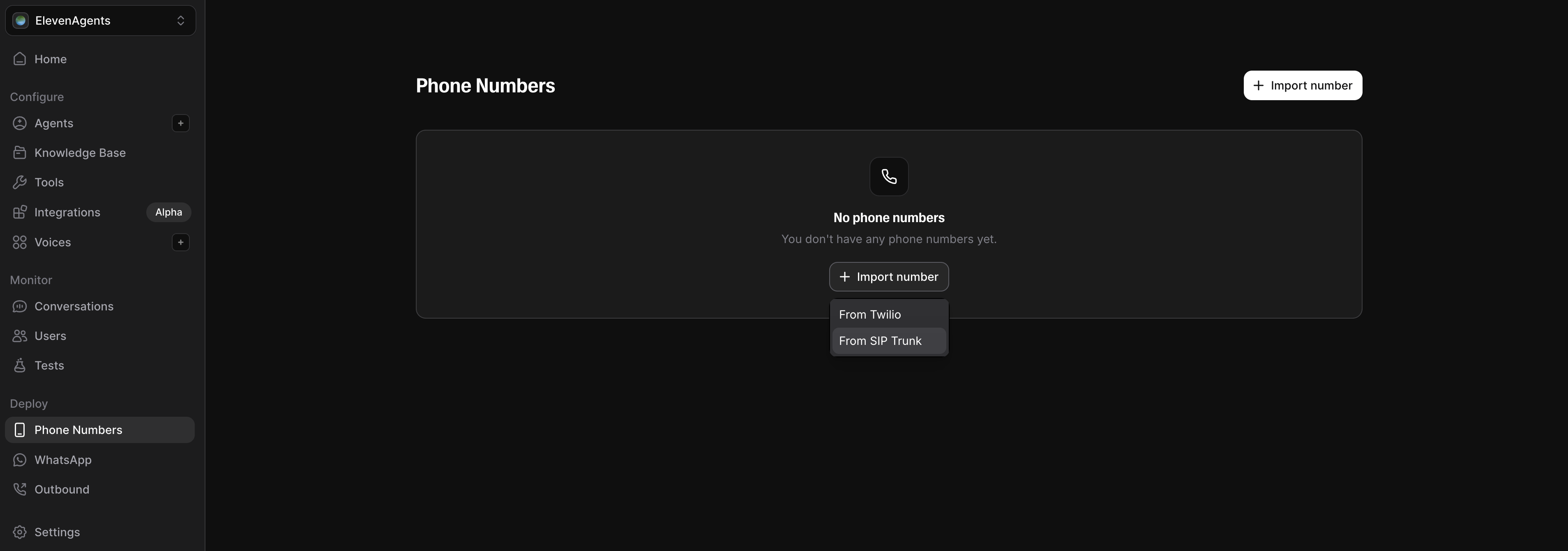
Click Import number → From SIP trunk.
-
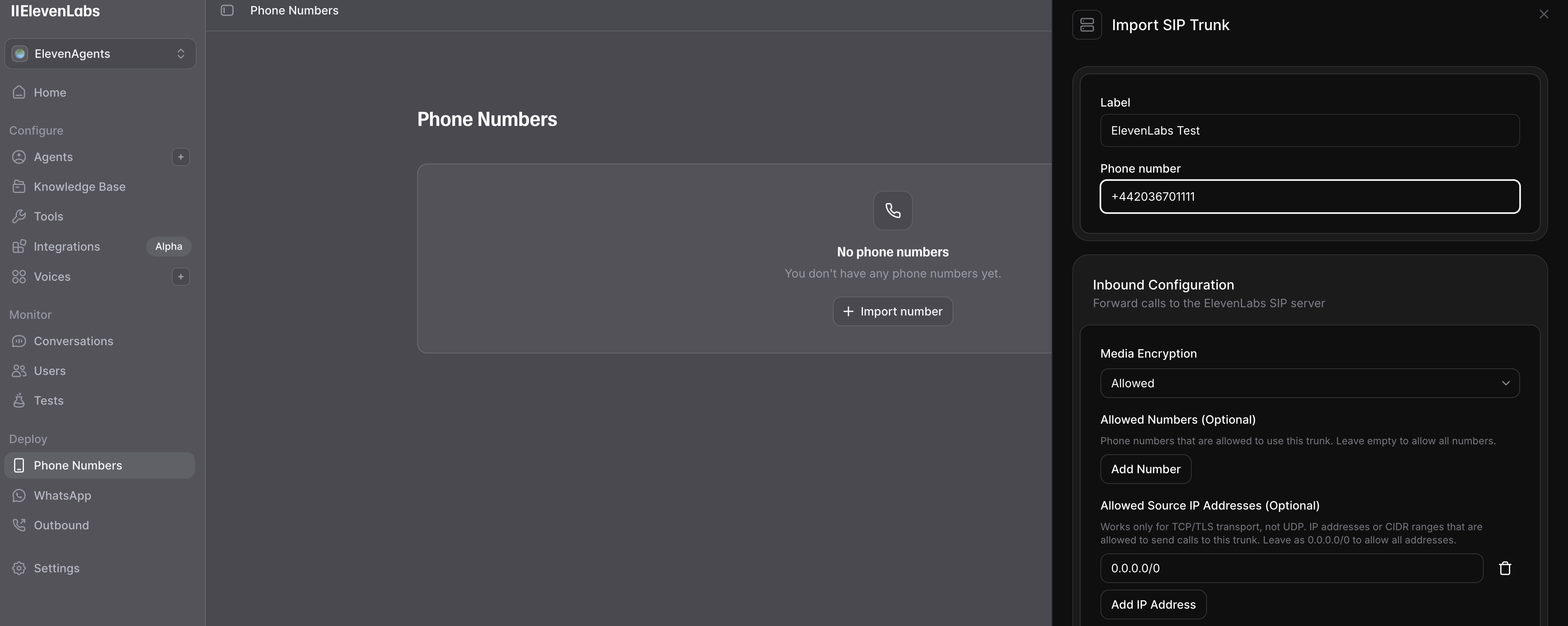
Configure the number:
-
Label: A descriptive name for the phone number
-
Phone Number: Your didlogic number in E.164 format (e.g., +442036701111)
-
-
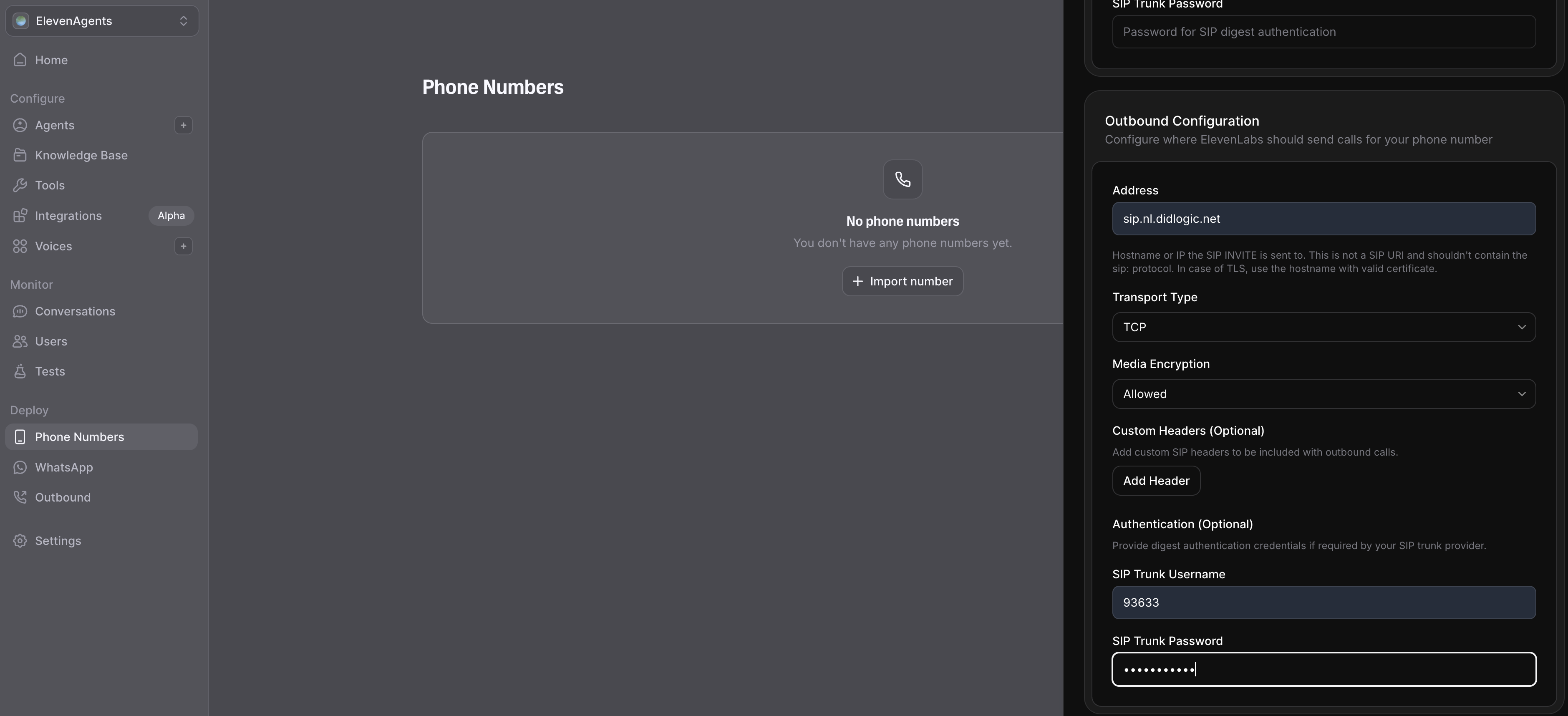
Configure outbound settings:
-
Domain: Use a didlogic proxy (e.g.,
sip.nl.didlogic.net). -
Transport Type: Select TCP (recommended).
-
Media Encryption: Configure encryption for RTP media streams.
-
SIP Trunk Username: Your 5-digit SIP login from your didlogic account.
-
SIP Trunk Password: Your SIP account password.
-
-
Click Import to finalize the configuration.
Creating and Configuring AI Agents
Once your phone number has been successfully imported, the next step is to create and configure the AI agent that will handle the calls. This process includes selecting a voice, defining its behavior and the knowledge base, setting up tools, and configuring other features, such as call terminating, language detecting, and transfer to a phone number (basically, handover to a human).
To ensure access to the most up-to-date and detailed information, we recommend using the official ElevenLabs documentation.
Inbound Routing
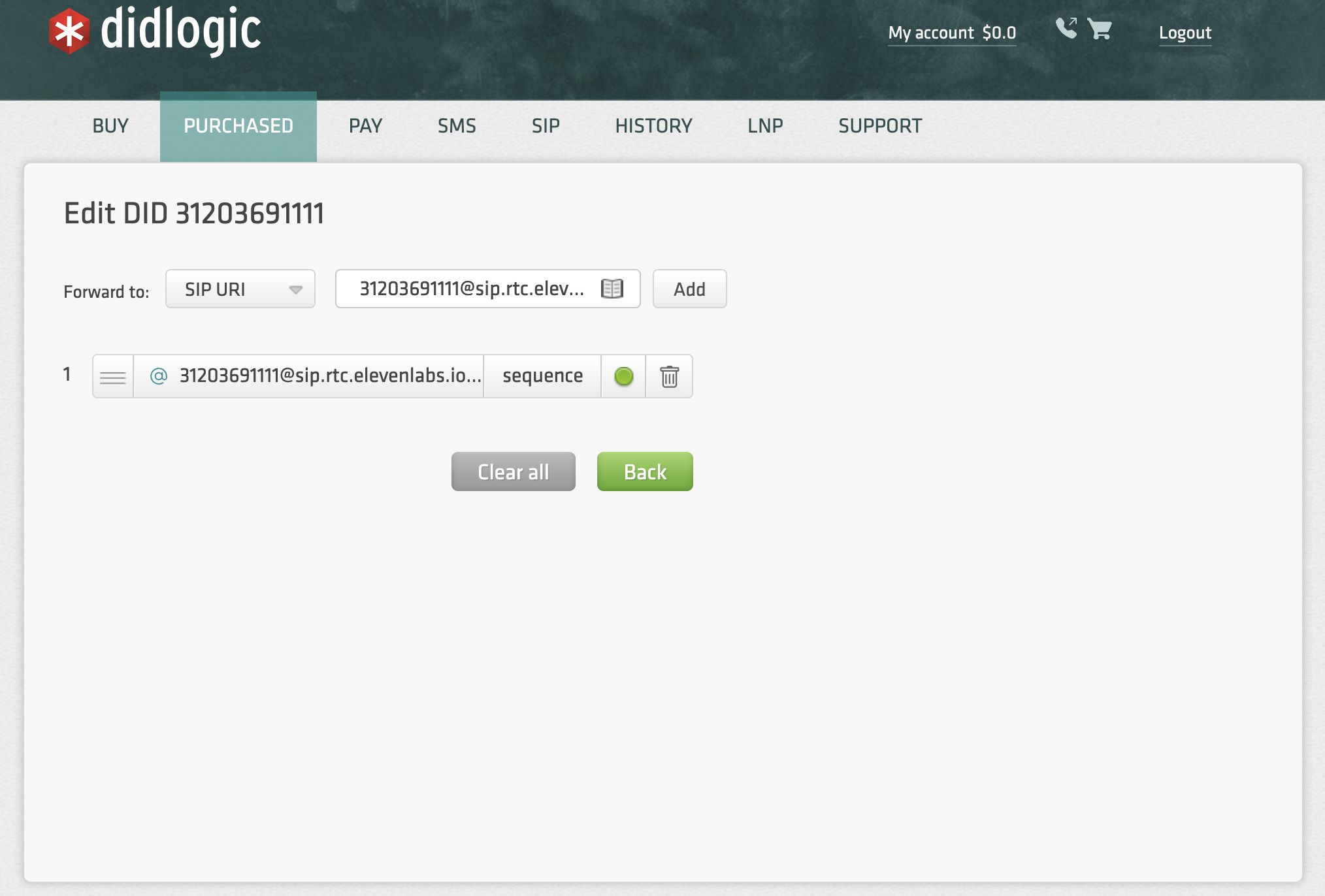
To ensure incoming calls to your didlogic number reach the ElevenLabs agent, you must configure a SIP URI forward.
-
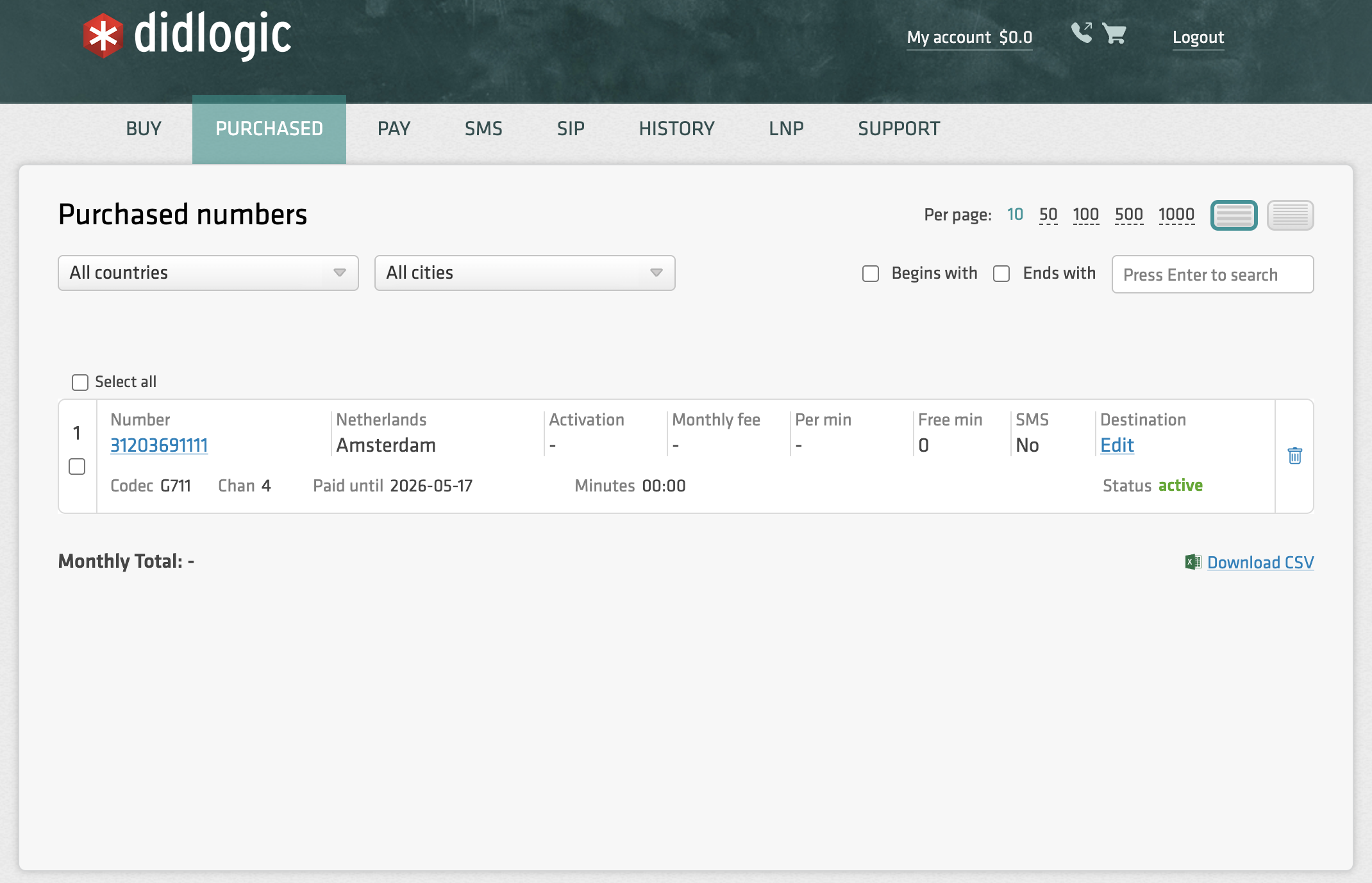
Navigate to your numbers on the didlogic portal.
-
Click Edit on the number you wish to use with ElevenLabs.
-
Choose SIP URI in the Forward to dropdown.
-
Enter the destination in the following format:
[YourPhoneNumber]@sip.rtc.elevenlabs.io:5060;transport=tcp- Example:
[email protected]:5060;transport=tcp
- Example:
-
Click Add, and it should appear below. Ensure this destination is at the top of the list if you already have other destinations configured.
Outbound Calling
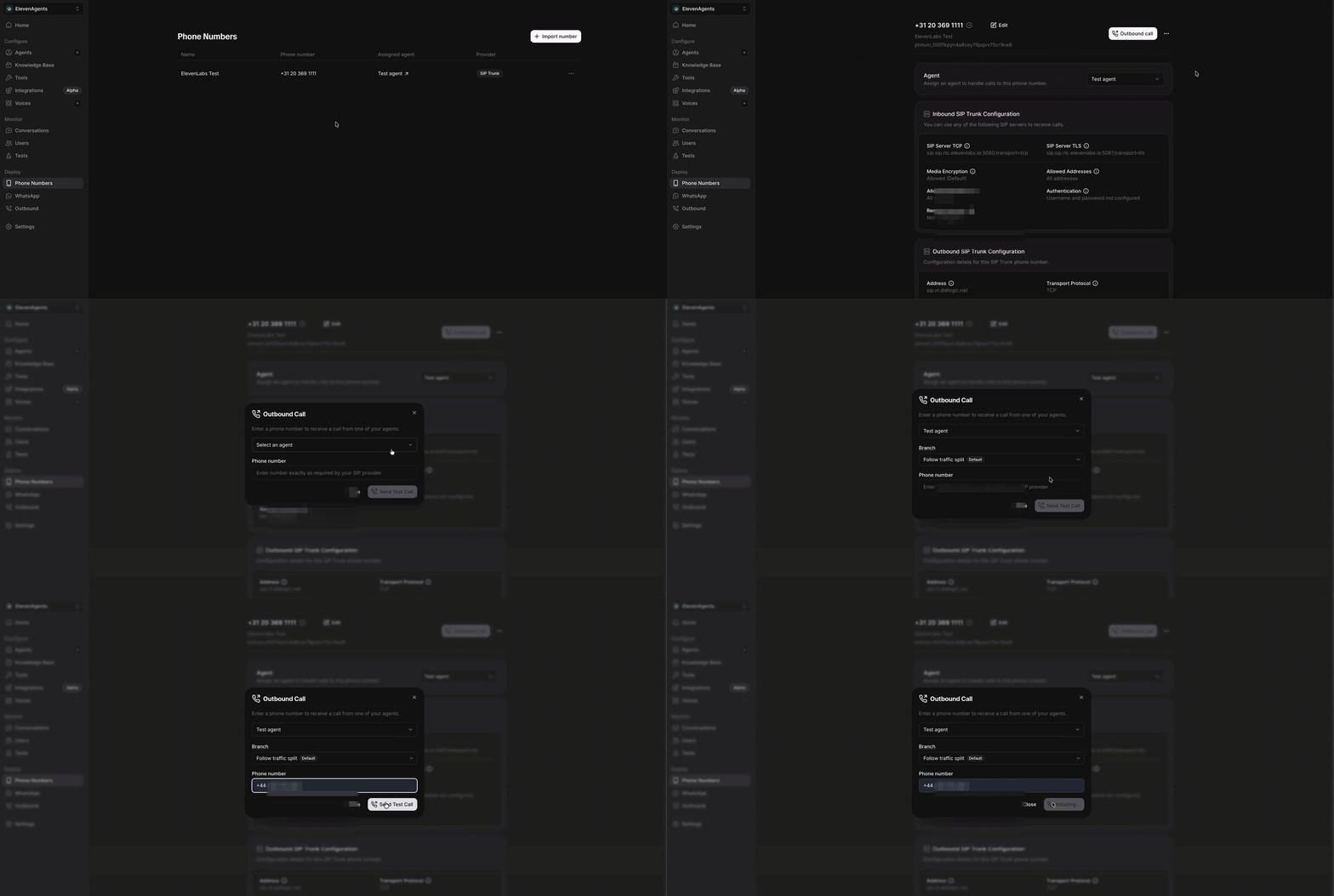
ElevenLabs agents can initiate outbound calls using your didlogic SIP trunk as the termination gateway.
Manual Calls
- Go to Telephony → Phone numbers.
- Click your imported phone number and select Outbound call.
- Select an agent, enter the number, and click Send Test Call.
Batch Calling Feature
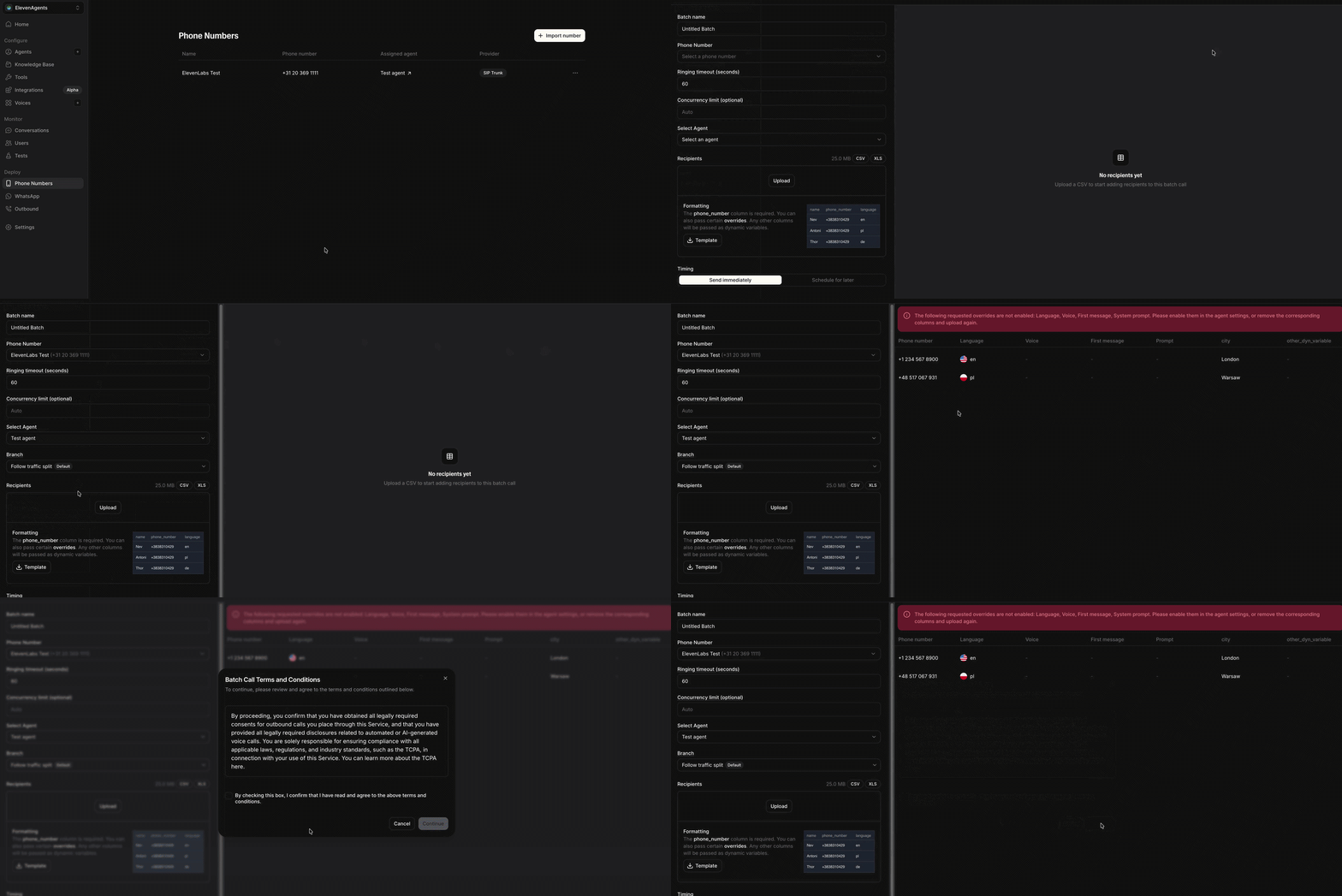
Use the Batch Calling feature to upload a CSV of recipients and schedule high-volume outreach.
API Integration
Outbound call via SIP trunk API: For programmatic control and integration with other systems, outbound calls can be triggered via the ElevenLabs API. This provides the flexibility to initiate single calls automatically (e.g., from a CRM event) or to manage batch calling jobs through code. When a call is initiated, it is routed through your configured SIP trunk using your termination URI, ensuring a seamless connection.
Detailed implementation guides, code examples, and full specifications for the outbound call API are available in the official ElevenLabs documentation.